Showing posts with label Java & JavaEE. Show all posts

Sunday, 5 May 2019

Java 9, 10, 11 - Highlights of new features and enhancements


If you are new to Java, please refer my Newto Java - Getting Started Guide post and previous post about Java8 - Highlights of new features and enhancements?

This could be one of my shortest blog ever! This just contains URLs for sample code snippet (along with easy to understand comments) to learn new features and enhancements of Java 9, Java 10 and Java 11 at my Learning-Java Repository on Github @ 


Sunday, 6 March 2016

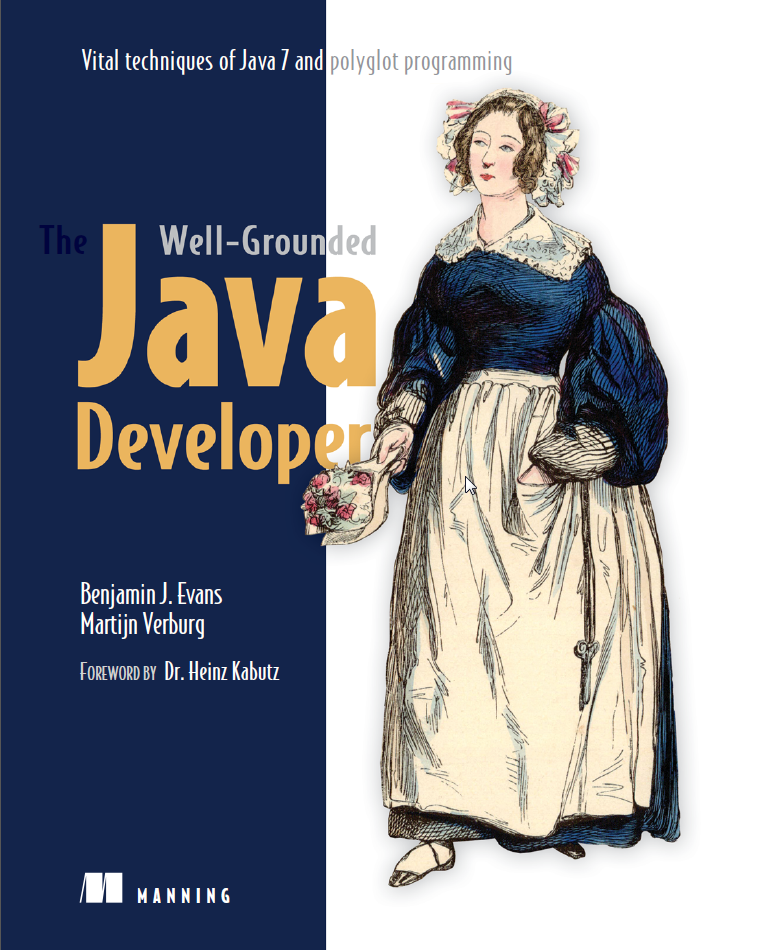
Book Review: The Well-Grounded Java Developer - Vital techniques of Java 7 and polyglot programming

Book Name: The Well-Grounded Java Developer - vital techniques of Java 7 and polyglot programming


Straight from the horse's mouth:
The Well-Grounded Java Developer offers a fresh and practical look at new Java 7 features, new JVM languages, and the array of supporting technologies you need for the next generation of Java-based software.

About the book
The Well-Grounded Java Developer starts with thorough coverage of Java 7 features like try-with-resources and NIO.2. You'll then explore a cross-section of emerging JVM-based languages, including Groovy, Scala, and Clojure. You will find clear examples that are practical and that help you dig into dozens of valuable development techniques showcasing modern approaches to the dev process, concurrency, performance, and much more.
Written for readers familiar with Java. No experience with Java 7 or new JVM languages required.
What's inside
  • New Java 7 features
  • Tutorials on Groovy, Scala, and Clojure
  • Discovering multicore processing and concurrency
  • Functional programming with new JVM languages
  • Modern approaches to testing, build, and CI
About the reader
Written for readers familiar with Java. No experience with Java 7 or new JVM languages required.
About the authors
Ben Evans is a Tech Fellow of jClarity, a Java performance firm and a member of the Java Community Process Executive Committee. Martijn Verburg is the CEO of jClarity, a Java performance firm, co-leader of the London JUG, and a popular conference speaker.
First of all, let me thank to the authors of this book for their thorough research on  the mentioned topics (java 7 features, polyglot programming on JVM and related vital development techniques) and clear writing with a well-balanced theoretical and practical coverage.

My Personal Feedback

If you are newbie to java programming, I don't suggest you reading this book. Once you gain some relevant experience in the industry, reading this book will produce completely different outlook and shape your overall programming talent. (By the way, you may read my "New to Java - Getting Started Guide" and "Be familiar with Java 5 features" blogs.)

According to me, this book has definite potential to transform you a well-grounded java developer, if you have some development experience (may be at least 2-3 years) in building java based web or enterprise applications.

Part 1 of the book very nicely covers Java 7 features, specifically Project Coin and NIO.2. Apart from the Java 7 language specific learnings, there are many other interesting topics to understand in next chapters of this book.
(On a separate note, Java 8 had released many new features in Mar 2014. If you didn't get chance to see those yet, you may refer my "Java 8 - Highlights of new features and enhancements" blog.) 

Part 2 covers few vital programming techniques. Starting with Dependency Injection (DI), fundamentally it could be known to most java developers nowadays, as Spring DI is widely adopted framework in myriads of java projects. However, it is highly likely that Java Concurrency, Classloading, Nature of JVM bytecode and Performance Tuning fundamentals would be new to know for many developers.

Part 3 is the heart of the book, as I found this book as one of the best source to establish understanding on "Polyglot Programming on the JVM". It appreciably explains classification of various programming languages, how JVM supports 100+ alternative programming languages and when to use Java vs. alternative languages. Moreover, you can get features and syntax highlights of Groovy, Scala and Clojure. After reading this, you will start evaluating ability of different programming languages and may take acceptable risk to try power of new programming languages to deliver better solutions, as and when applicable. In short, reading this chapter will surely make you versatile programmer.

Part 4 includes essentials topics, which all java developers should be aware and attempt, if not yet! Here, you will practically understand power of unit testing using Test Driven Development, Build using Maven and Continuous Integration using Jenkins. Optionally, you may experiment rapid web development approaches over building traditional JSP/JSF based web application. Finally, it closes with few topics which Java developers should always be aware of what’s coming around the corner, however, some of those are already available now like Java 8 Lambdas.

Happy reading the Well-Grounded Java Developer book… :-)

Disclaimer
Views expressed here are solely my own and are not supported by the author or the publication or any associated entity of this book.

Sunday, 30 August 2015

Java 8 - Highlights of new features and enhancements

If you are new to Java, please refer my New to Java - Getting Started Guide post.

Being a java developer, one should start learning new language features and enhancements of Java 8 if not yet!

You can get sample code snippet of Java 8 features from my Learning-Java Repository on Github @ https://github.com/tirthalpatel/Learning-Java/tree/master/Java8 --- Here you would find sample code along with easy to understand comments to learn new language features released in Java 8, and I will be adding more learning code of library enhancements in future.

Executive view of key features introduced in Java 8 --- For more detail, please refer Oracle documentation of New Features and Enhancements in Java 8.

(Right click the image - Open in New Window - Zoom it)

Java 7 - Highlights of new features and enhancements

If you are new to Java, please refer my New to Java - Getting Started Guide post.

Being a java developer, one should be aware of at least new language features (referred as project coin features) of Java 7.

You can get sample code snippet of Java 7 features from my Learning-Java Repository on Github @ https://github.com/tirthalpatel/Learning-Java/tree/master/Java7 --- Here you would find sample code along with easy to understand comments to learn new language features released in Java 7, and I may add more code of library enhancements in future.

Executive view of key features introduced in Java 7 --- For more detail, please refer Oracle documentation of New Features and Enhancements in Java 7.

(Right click the image - Open in New Window - Zoom it)

Java SE 6 - Highlights of new features and enhancements

If you are new to Java, please refer my New to Java - Getting Started Guide post.

Being a java developer, one should know that no new language changes were introduced in Java SE 6. Most importantly, introduction of Scripting in Java Platform (JSR-223) had encouraged acceptance of other popular open-source languages on JVM runtime via scripting engine implementation of a given programming language. This specification also offers interoperability between Java and non-Java JVM languages (i.e. JavaScript, Groovy…).

Executive view of key changes introduced in Java SE 6 --- For more detail, please refer Oracle documentation of New Features and Enhancements in Java SE 6.

(Right click the image - Open in New Window - Zoom it)

Sunday, 8 March 2015

Tactics to improve Java development productivity

Today I read java development tools/frameworks for a programming boost article by Theodora Fragkouli. This inspired me to publish highlights of the training, I imparted in last month to java developers, on "Tactics to improve productivity in Java" topic.

The scope of this training was stringent to relate Java technical viewpoints, and obviously excluded thoughts of generic ways to boost productivity, i.e. do yoga/meditation regularly, 15 minutes power nap at work, having cup of tea/coffee... :-)

The objective of this training was to make participants familiar with few notable tools, techniques and programming considerations focused to boost java developers productivity. I focused mainly on three areas.
(1) Save time on java app compile, build and redeploy process.
(2) Efficient ways to analyze or review existing/legacy java code.
(3) Less code means more productivity.

I demonstrated following tips practically in the training, which java developers should adopt for being more productive (* as applicable in the given project architecture and development environment).

Before I start, I hope that you have already read "Preface" of my java power tools series.

Tools and Techniques to improve productivity

View Java code changes instantly using JVM HotSwap / class reloading tools
  • Problem = By nature, if we do even single line of code change in java, we must need to wait for few seconds to minutes to test it until application is built and redeployed on server.
  • Solution = JVM Hotswap or class reloading tools can help us to save time at certain extent, i.e. add and update java classes instantly without waiting on java app compile, build and redeploy process.
  • In general, I suggest such tool to use during development. Be cautious to use it in production, until you need to accomplish exceptional use case!

Reverse Engineering technique and tools
  • Useful to improve design documents of legacy systems or efficient way of exploring code from the generated diagrams (e.g. class and sequence).
  • Static reverse engineering using ObjectAid (free for class diagram), i.e. generating diagrams from existing codebase.
  • Runtime reverse engineering using Maintainj (commercial), i.e. firstly perform functional operation in running application and capture corresponding code flow traces, then explore the generated diagrams for the given executed use case and finally from diagrams navigate the exact code.

Static code analysis tools & Dependency analysis technique
  • Generate Dependency graphs using Codepro Analytix (free) or Dependency structure matrix (DSM) using SonarQube (free) from existing or legacy codebase to  detect cyclic dependencies and empower the impact analysis for refactoring / reengineering / modernization, etc. Just google further, you would find many references to understand fundamental of these dependency analysis techniques using the mentioned tools.

Miscellaneous
  • Enrich Eclipse IDE by adding extra Eclipse plugins - Code Recommenders + Snipmatch (code recommendation and a snippet completion engine), InstaSearch (fast text search in the workspace), MouseFeed (helps to form a habit of using keyboard shortcuts), JD-Eclipse (java decompiler), etc.
  • Cronon (commercial) - a DVR for Java, offers to record your entire java program and replay on any machine.
  • Stackifier - A web page to make sense of verbose Java/Scala exception stack trace by translating into the simplified UI.

Less code means more productivity

Less lines of code means more productivity, and also less efforts to unit test and maintain the code. Now the question is - what could be programming considerations for this? Here we go...

Polyglot programming on the JVM
  • Have you ever thought to mix-and-match multiple programming languages in a single application? Well, the phrase polyglot programming on the JVM was coined to describe projects that utilize one or more non-Java JVM (Java Virtual Machine) languages (e.g. Scala, Groovy, Clojure, Jython, Jruby, JavaScript...) alongside a core of Java code. All in all, it is better to use the right programming language to do the right job.
  • Polyglot Programming with respect to Java platform --- Java SE 6: added specification for supporting multiple scripting languages in JSR-223, which encouraged acceptance of many popular open source languages on JVM runtime by just implementing scripting engine of given language. Also it allows java developers to call non-java scripting language (e.g. JavaScript, Groovy…) code from java code and vice versa. Java SE 7: added JSR-292 to enable developers of compilers for dynamically typed languages to generate bytecode that runs extremely fast in the JVM. Java SE 8: replaced default “Mozilla Rhino” JS scripting engine with new highly performant “Oracle Nashorn” engine.
  • The Java specification doesn't talk about how the different languages should be organized in enterprise application architecture! So in general the polyglot programming environment can be categorized in three layers from architectural standpoint, so-called polyglot programming pyramid --- (1) Stable layer - The stable layer is what everything else is built on top of, and should preferably be a thin foundation. Statically typed language (Java, Scala) is suited for this layer, as performance and stability is of the utmost importance. All interfaces to external applications are also defined in this layer, as this will provide type safety and enable other clients to trust it. Example use cases are: Core business functionality, Concurrent code, Application containers… (2) Dynamic layer - The dynamic layer is consisting of most the application code. Languages from all the paradigms can be used, as long as they are dynamic and do not require compilation such as Groovy, Clojure and many more.  Example use cases are: Rapid web development, Prototyping, Flexible development of functionality, Interactive administrative and user consoles, Scripting… (3) Domain layer - The domain layer is tightly coupled to a specific part of the application and should offer to change rules in production. It can be consist of one or more DSLs (domain specific language) to define the actual domain rules. Example use cases are: Enterprise Integration Pattern modeling, Business rules modeling, Build, Continuous integration, Continuous deployment, Dev-ops… For more detail, you should read The Well-Grounded Java Developer - Part 3.

Groovy

Java 5 -> Java 8
  • Java 5 (Released in Sep 2004) – Generics, Autoboxing, Enhanced for loop, Annotations…
  • Java 6 (Released in Dec 2006) – Scripting in the Java Platform…
  • Java 7 (Released in Jul 2011) – Project coin features…

Java EE 7

Spring Data
  • Provides efficient approach to data access – relational, non-relational, map-reduce and beyond. Its most compelling feature is the ability to create repository implementations automatically, at runtime, from a repository interface.

There are many more technological considerations for writing less code. Anyway to make a long story short, Java developers should keep upgrading their skills to harness the power of modern technologies and frameworks for writing code that is more compact, simpler, and easier to maintain.

Final Thoughts

Every project has its own architecture and development environment. So all the above-mentioned technical aspects may not be applicable to each and every project. Anyway here is the crux...


Finally please do share your experience in the comment, if you know any additional tactic applicable to improve java developer productivity.

Disclaimer

I am not biased to particular free or commercial tools and frameworks, rather my objective is about sharing my own experience on the this topic. 

Saturday, 26 July 2014

J2SE 5.0 - Sample code snippet for getting started with new features

If you are new to Java, please refer my New to Java - Getting Started Guide post.

I know Java 8 is already released with remarkable functional programming and many more new features and enhancements. But sometimes I meet candidates claiming Java experience while taking interviews, but not having even fundamental knowledge of J2SE 5.0 (Java 1.5) features! So I thought to collate my Java 1.5 knowledge upgrade notes along with sample code snippet and publish this post for public reference.

You can get sample code snippet of Java 1.5 features from my Learning-Java Repository on Github @ https://github.com/tirthalpatel/Learning-Java/tree/master/Java5 --- Here you would find sample code along with easy to understand comments to learn new language features released in Java 1.5, and I shall add more code of library enhancements in future.

Executive view of major features introduced in JDK 5.0 --- For more detail, please refer Oracle documentation of New Features and Enhancements in J2SE 5.0.


(Right click the image - Open in New Window - Zoom it)

Please note: Purposefully I have referred different terminologies here like J2SE 1.5 / JDK 5.0 / Java 5. To know the exact naming of different Java releases, please refer my New to Java - Getting Started Guide post.

Saturday, 28 June 2014

Why Java developer should learn another programming language called Groovy?

Welcome to my Groovy Learning Made Easy post.

It is always worth to be a polyglot learner and programmer. If you are a java developer, then why not to learn another programming language called Groovy. This post will provide you the getting started directions with sample code snippet for learning Groovy.

Why Java developer should learn another programming language, so called Groovy?
  • Languages other than Java that run on the JVM are called as alternative JVM Languages. For example - Groovy, Scala, Clojure, Jruby, Jython… Among those, Groovy is the most accessible alternative JVM language to Java developers.
  • As per polyglot programming pyramid by Ola Bini, Java can fit in static layer but it isn’t ideal language for solving problems in the dynamic layer. These problems include rapid web development, prototyping, scripting, and more. Groovy is designed to solve exactly such problems, though there are also other programming languages capable to solve such problems like Ruby, Clojure, etc.
  • Groovy is well-suited for writing domain-specific language (DSL). For example - Gradle build tool is written in Java and Groovy, and introduces a Groovy-based DSL instead of the more traditional XML form of declaring the project configuration.
  • The Groovy programming language is supported by Pivotal and the Groovy Community, so we can expect good community support. Also Groovy roadmap has the considerations of supporting new Java releases, for example JDK-8 support is targeted to include in Groovy 3.0 by Q4 2014.
  • Excellent interoperability between Groovy and Java. So the best thing is you can use your existing Java libraries in Groovy code. Basically Groovy extends java.lang.Object and adding some functional behavior. At the end, Groovy source code compiles to JVM bytecode.
  • Inspired by Smalltalk, Ruby, and Python, Groovy has implemented several language features that Java doesn't, such as: Function literals / Closures, First-class support for collections, First-class support for regular expressions, First-class support for XML processing (First-class support = that is built into the language syntax as opposed to requiring library calls)
  • Like Java, there are many Groovy based frameworks available. For example - Grails for web application development, Spock for writing acceptance tests, etc.
  • Groovy enjoys rich IDE support / Eclipse based Groovy/Grails tools suite, so Java developers don't need to learn new development tooling.


About Groovy…

  • is an agile and dynamic language for the Java Virtual Machine
  • builds upon the strengths of Java but has additional power features inspired by languages like Python, Ruby and Smalltalk
  • makes modern programming features available to Java developers with almost-zero learning curve
  • provides the ability to statically type check and statically compile your code for robustness and performance
  • supports Domain-Specific Languages and other compact syntax so your code becomes easy to read and maintain
  • makes writing shell and build scripts easy with its powerful processing primitives, OO abilities and an Ant DSL
  • increases developer productivity by reducing scaffolding code when developing web, GUI, database or console applications
  • simplifies testing by supporting unit testing and mocking out-of-the-box
  • seamlessly integrates with all existing Java classes and libraries
  • compiles straight to Java bytecode so you can use it anywhere you can use Java


Getting Started Guide to Learn Groovy

I recommend to follow steps in below sequence to getting started with Groovy quickly.

Step-1: Groovy environment setup

If you are java developer, then installing Groovy is all about just spending less than 15 minutes after downloading Groovy - http://groovy.codehaus.org/Installing+Groovy

If you already have Eclipse, let's install Groovy plugin in Eclipse. Alternatively you may consider GGST (Groovy/Grails Tool Suite).

Step-2: Groovy project setup

Download and setup my "GroovyQuickStart" project, because that would enable you to learn Groovy quickly using sample code snippet.
  1. Download zip file of / Clone project to your local machine.
  2. Then just import "GroovyQuickStart" project in Eclipse having Groovy plugins already installed.
  3. Fix all build path errors (Project -> Properties -> Java Build Path -> Libraries), such as JRE configuration, Groovy Libraries, etc.
  4. Now run "G00_BasicConcepts.groovy" groovy script files with Groovy Script option (Alt + Shift + X, G) in Eclipse and you should be able to see output in console without any error. That's it.
  5. As directed in next steps, let's start exploring each package containing code of ".groovy" files in given sequence of G00, G01*, G02*...

Step-3: Learning Basic concepts and syntax

Groovy eliminates much of Java's verbosity. It has advanced collection handling, supports functional concepts and brings dynamic typing to the JVM. By default Groovy imports the list of packages and hence those are always implicitly available for access in your Groovy code: groovy.lang.*, groovy.util.*, java.lang.*, java.io.*, java.math.BigDecimal, java.math.BigInteger, java.net.*, java.util.*.

In the downloaded "GroovyQuickStart" project, explore com.tirthal.learning.basic package for learning basic concepts and syntax of Groovy as well as features like Collections, Ranges, Functions, Closures...

Step-4: Working with XML in Groovy

All of Java's native XML processing options are available to access in Groovy, but Groovy brings new options for both low and high level processing of XML. Reading and writing of XML is made easier due to Groovy's dynamicity.

Groovy offers First-class XML processing. In the downloaded "GroovyQuickStart" project, explore com.tirthal.learning.xml package to realize how easy it is to read and write XML in Groovy. Also refer sample xml files in data folder of the project.

Reading XML
  • DomCategory - Low level access to Java's DOM API
  • XmlParser - High level API for DOM process, but entire document is loaded in memory. Eager evaluation. So prohibited for processing larger documents
  • XmlSlurper - Very similar to XmlParser, but using lazy evaluation. This means that only portion loaded into memory just before  they read. Ideal when need to access subset of content in the XML.
Writing XML
  • MarkupBuilder - Simple XML creation API
  • StreamingMarkupBuilder - Advanced XML creation and provides better support for creating large documents

Step-5: Groovy and Java interoperability

In the downloaded "GroovyQuickStart" project, explore com.tirthal.learning.interoperability package to understand how flexible it is to call Java from Groovy and vice-versa.

Calling Java from Groovy
  • Groovy works with existing Java libraries - Including popular libraries such as Google Guava or Apache Commons or your own proprietary libraries
  • If you intend your Groovy code to interoperate with Java, it can pay to use static types where possible, because it simplifies type overloading and dispatch
  • Use Grape for dependency management in Groovy. It is natively supported in Groovy language and build on Ivy.
Calling Groovy from Java
  • Calling Groovy from inside a Java application requires the Groovy JAR and other related JARs to be put into your Java application’s CLASSPATH, as they’re runtime dependencies.
  • Simply put the GROOVY_HOME/embeddable/groovy-all-x.jar file into your CLASSPATH.
  • There are several ways you can call Groovy code from inside a Java application:
    • Using the Bean Scripting Framework (BSF)—a.k.a. JSR 223
    • Using GroovyShell
    • Using GroovyClassLoader
    • Using GroovyScriptEngine
    • Using the embedded Groovy console
  • The most commonly used ways are - Groovy-ClassLoader and GroovyScriptEngine.

Step-6: Working with REST services

In the downloaded "GroovyQuickStart" project, explore com.tirthal.learning.rest package to know that how Groovy is well-suited working with REST services and JSON.
  • RestClient - encapsulates HTTP requests and responses
  • Groovy ConfigSlurper - for reading configuration file

Step-7: Unit testing in Groovy

Unit testing becomes vary important when working with dynamic languages, because the compiler doesn't enforce type-checking. In the downloaded "GroovyQuickStart" project, explore com.tirthal.learning.testing package to experience unit testing support in Groovy.
  • JUnit is built directly into the Groovy runtime
  • Mocking APIs are included in the Groovy platform
  • Advanced testing frameworks are also available

Step-8: Miscellaneous

Based on your interest and need, you can explore it further.
  • Groovy 2.0 introduces static compilation for Groovy - The newly released Groovy 2.0 brings key static features to the language with static type checking and static compilation, adopts JDK 7 related improvements with Project Coin syntax enhancements and the support of the new "invoke dynamic" JVM instruction, and becomes more modular than before.
  • Groovy 2.3 Introduces Traits - A trait is a reusable set of methods and fields that can be added to one or more classes. A class can be composed out of multiple traits without using multiple inheritance (and therefore avoiding the diamond problem).

Groovy performance

Be aware that,
  • Groovy isn’t always the best choice of language if your software has stringent performance requirements. Groovy objects extend from GroovyObject, which contains an invokeMethod(String name, Object args) method. Each time you call a Groovy method, that method isn’t called directly as it would in Java. Instead, it’s executed via the aforementioned invokeMethod(String name, Object args), which itself executes a number of reflection calls and lookups, which of course slows processing. The Groovy language developers have made several optimizations, and more will follow as future versions of Groovy take advantage of the new invokedynamic bytecode in the JVM.
  • A quick performance tip here is to utilize the groovyserv library, which starts up the JVM and Groovy extensions, making your scripts run that much faster.
  • Groovy has powerful XML and JSON parsing capabilities. Please refer Rick's "Groovy/Boon provide the fastest JSON parser for the JVM" post for detail. So Groovy can certainly be considered to do such XML/JSON parsing related piece of work in Java applications for performance and developer productivity benefits.


Also Refer


Finally, I would say "Happy Groovy Learning" to java developers and let’s share your feedback in the comment.